How-To Install and Use Ghostscript for Displaying CMYK Images
1.Introduction
Ghostscript is an interpreter for the PostScript® language and PDF files. It is available under either the GNU Affero General Public license or licensed for commercial use from Artifex Software, Inc. The license does not allow to provide it as part of our packages. Nevertheless, you can install and use Ghostscript under the GNU GPL Affero license for free in our understanding for commercial systems if you do not change the implementation of Ghostscript. See GNU Affero General Public license description from GNU.
Ghostscript consists of a PostScript interpreter layer and a graphics library. In addition to rendering to raster formats, Ghostscript offers high-level conversion through vector output devices. Written entirely in C, Ghostscript runs on various embedded operating systems and platforms including Windows, macOS, the wide variety of Unix and Unix-like platforms, and VMS systems.
GhostScript together with ImageMagick (pre-installed in pubServer) is needed to correctly render colors for CMYK images. What is more, it is also used to render previews for various formats, e.g. PSD and EPS.
2.Installation
Preparation (It assumes pubServer path to be "C:\pubServer". If it is different, change the paths accordingly.):
- Download GhostScript from this site GhostScript
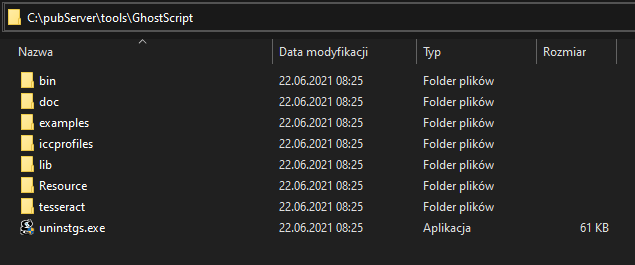
- Install GhostScript in "C:\pubServer\tools\GhostScript".
- Go to "Payara admin console" -> "server (Admin Server)" -> "Properties".
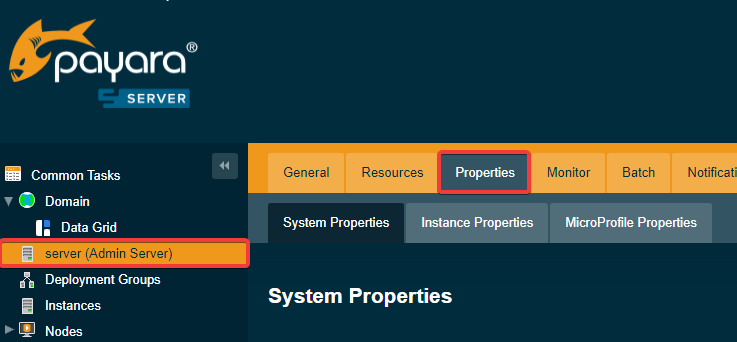
- Add or edit property "ghostscript.binpath" and set value to "C:/pubServer/tools/GhostScript/bin".
- Add or edit property "imagemagick.binpath" and set value to "C:/pubServer/tools/ImageMagick".

After this operation, please restart the pubServer.